Migrating Fitbit to Google Health
Google is shutting down the web APIs that the Digital Carrot Fitbit plugin relies on as of September 30th, 2026.
The iOS Fitbit app did not originally support Apple Health when Digital Carrot launched back at the start of 2026. Because of this, I ended up writing a plugin that used the Fitbit web APIs in order to support health data for Fitbit users. Since then Google has begun the time honored tradition of killing off Fitbit and replacing it with Google Health. As a result, the Fitbit plugin is now broken and Fitbit users will need to re-recreate their goals using the default plugin.
How to Migrate your Fitbit Goals
Update Digital Carrot
Make sure you’re on the latest version of Digital Carrot (1.7.1). You can still set up goals for Fitbit in the older version of the app, but it will instruct you to use the Fitbit plugin.
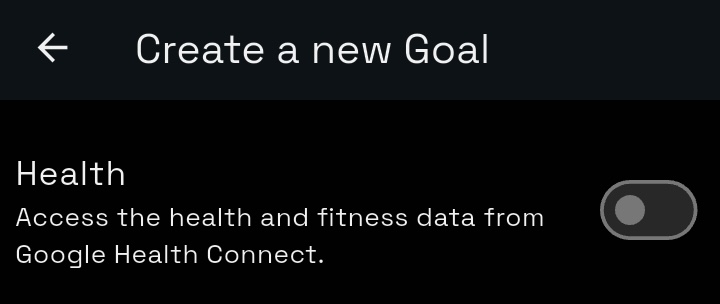
The good news here is that the new Google Health app that everyone loves so much finally supports Apple Health! You can set it up by creating a new health goal.
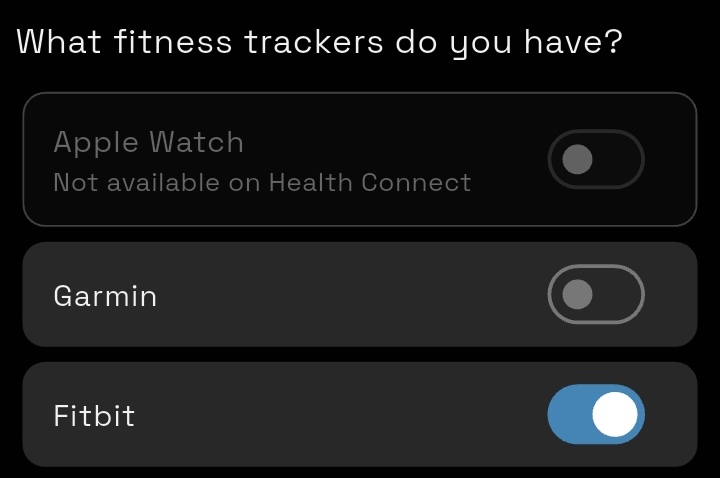
Select the Fitbit option from the list:
Troubleshooting
If you aren’t seeing your Fitbit data show up in the app do the following:
- On Android: go to Settings > System Capabilities > Google Health Connect
- On iOS: go to Settings > System Capabilities > Apple Health
- Ensure that the health capability is running. If you don’t see Fitbit under “My Fitness Trackers”, click “Update” to add it.