Safari
Note
Digital Carrot needs to access all pages to be able to function properly.
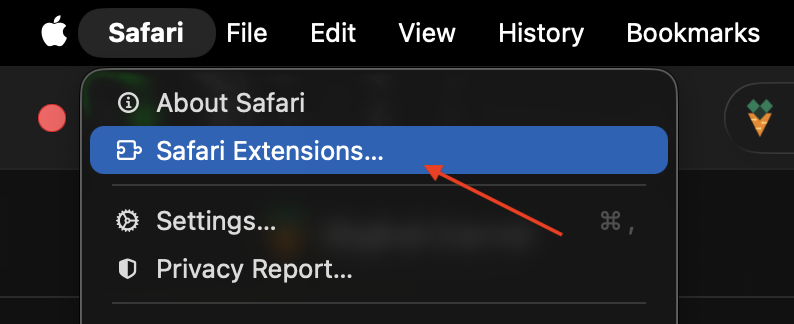
Open up Safari Extensions
Open extension settings from Safari > Safari Extensions.
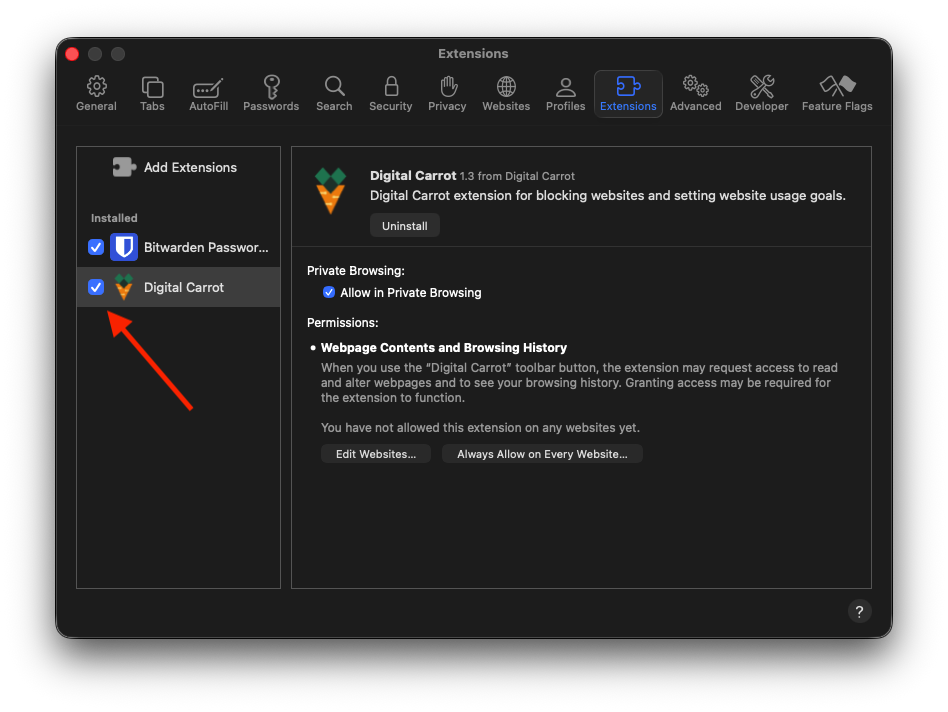
Enable the Digital Carrot Extension
Make sure the Digital Carrot Extension is checked.
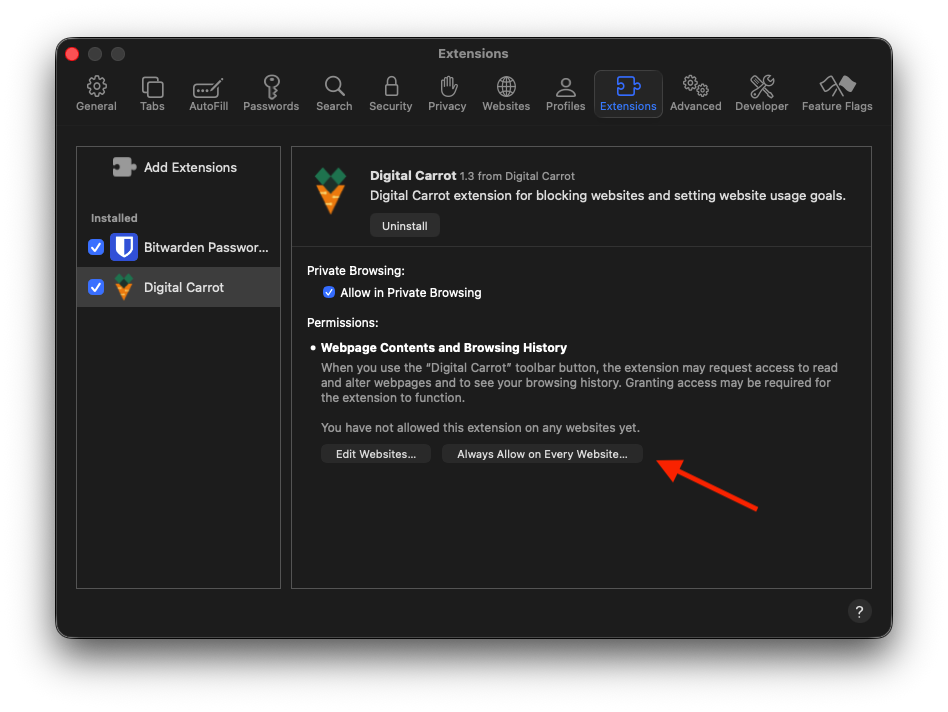
Grant Access to view Websites
Click “Always Allow on Every Website…” and grant permissions to view all sites.
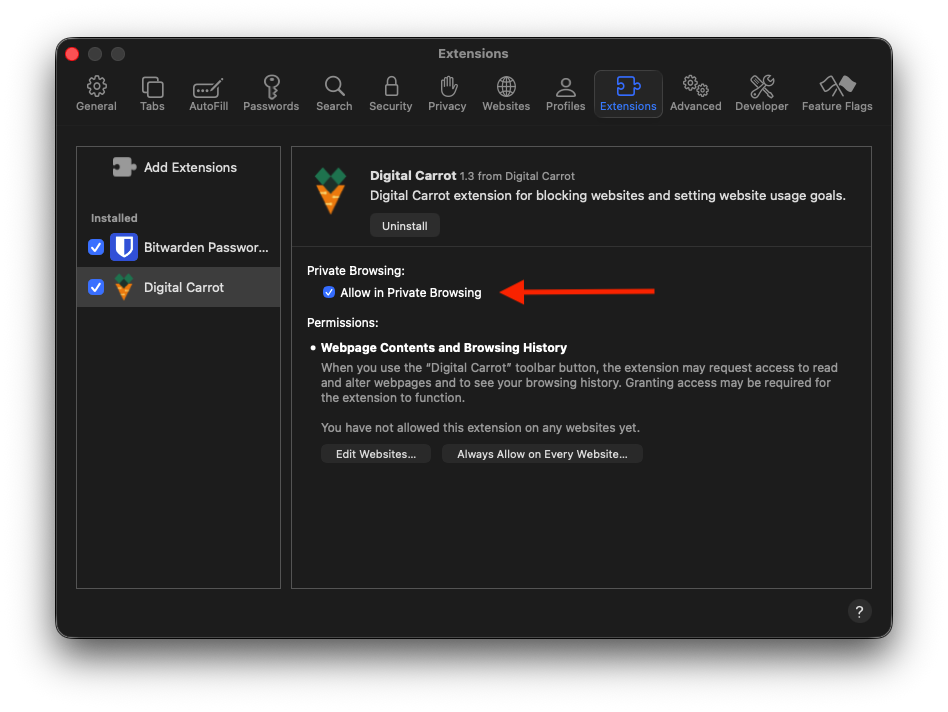
Allow Private Browsing
Make sure “Allow in Private Browsing” is checked.
All data collected by the browser extension is fully private. Check out our privacy policy for more information.