Developer Guide
Digital Carrot plugins are very lightweight Javascript scripts that can fetch data to create goals, enforce goals by blocking apps or issue challenges that allow you to edit a commited configuration.
A basic plugin looks like this:
example/
├── manifest.yaml
├── plugin.js
└── README.md
manifest.yaml
This is the heart of the plugin. It defines all of the plugin’s metadata as well as the permissions that the plugin has on your system. A simple manifest looks like this:
# Give the plugin a nice human readable name and description
name: Example Plugin
description: My exemplary example plugin

# Declare the minimum version of the app that this plugin can support
minimum_app_version: v1.2.0

# Imports is the a dictionary of things that will be imported into your plugin
# and will be accessible in your plugin.js. These are sort of like your standard
# programming language imports, but we put them in the manifest instead of the
# script to make it easier to review.
#
# By default plugin scripts are fully sandboxed. They have no filesystem access,
# no network access, no way to communicate to the ouside world. Nothing. Plugins
# must request permissions to do absolutely anything.
imports:
  # my_http_client will the symbol that we use to reference this import in the
  # plugin.js file.
  my_http_client:
    # httpClient corresponds to the http client capability.
    http_client:
      baseUrl: https://example.com

# data_plugin, enforcement_plugin and unlock_plugin define the type of plugin
# that we are creating. Only one of these is allowed

# Data plugins fetch data that you can use to create goals. A good example of this
# is the todoist plugin which fetches to-dos from the Todoist REST API.
data_plugin:
  # exports is a dictionary of function definitions that provide a set of data
  # for creating goals
  exports:
    example_function:
      name: My Example Function
      description: Multiplies two numbers together

      # param and output schema are keys to schemas in the "schemas" dict.

      # output_schema lets the app know what kind of data to expect from
      # the function
      output_schema: example_out

      # params_schema defines the parameters that the user must configure to
      # use the function
      params_schema: example_params

# Enforcement plugins let you block stuff. Usually apps and websites, but you can
# control anything with this.
# enforcement_plugin: {}

# Unlock plugins define a challenge that you need to complete in order to unlock
# your settings. A good example of this is entering a password.
# unlock_plugin: {}

# This corresponds to a schema in the "schemas" dict and defines the parameters
# that the user must configure for the plugin.
plugin_config_schema: my_config_schema

# This is a dictionary of JSON schemas.
schemas:
  my_config_schema:
    type_input: object
    properties:
      plugin_number:
        type_input: number
        title: A plugin wide number
        description: My plugin configuration
  example_params:
    type_input: object
    properties:
      function_number:
        type_input: number
        title: A function number
  example_out:
    type_input: object
    properties:
      multiplied:
        type_input: number
        title: Multiplied
        description: The plugin number multiplied by the function number
plugin.js
The javascript for this example plugin would look something like this:
// The function name (example_function) must match the key that we defined in
// data_plugin.exports.
//
// The config object corresponds to the schema we defined in my_config_schema.
//
// The params object corresponds to the schema we defined in example_params.
//
// This function MUST output an object that is valid according to it's output_schema,
// in this case, that would be the "example_out" schema.
function example_function(config, params) {
  // We can use our http_client object defined in imports to make REST calls to
  // example.com. Note that the plugin can ONLY make API calls to the url provided
  // to the manifest.
  //
  // my_http_client.get("/")

  return {
    multiplied: config.plugin_number * params.function_number
  };
}
Schemas
We use a lightly modified version of JSON Schema to define the outputs and parameters for functions in the app. Schemas are broadly used to do two things:
1. Define Forms
This allows for plugins to request input from a user. A good example of this is the
schema we passed to plugin_config_schema above. The plugin_config_schema is used
to request configuration information when the plugin is installed. The schema we
defined in the example plugin will look like this:
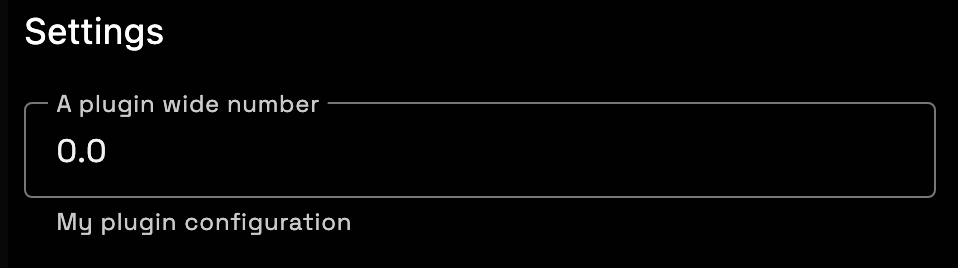
This type of schema is used for:
- Plugin settings
- Function settings
- Goal quickstart forms
2. Define Goal Data
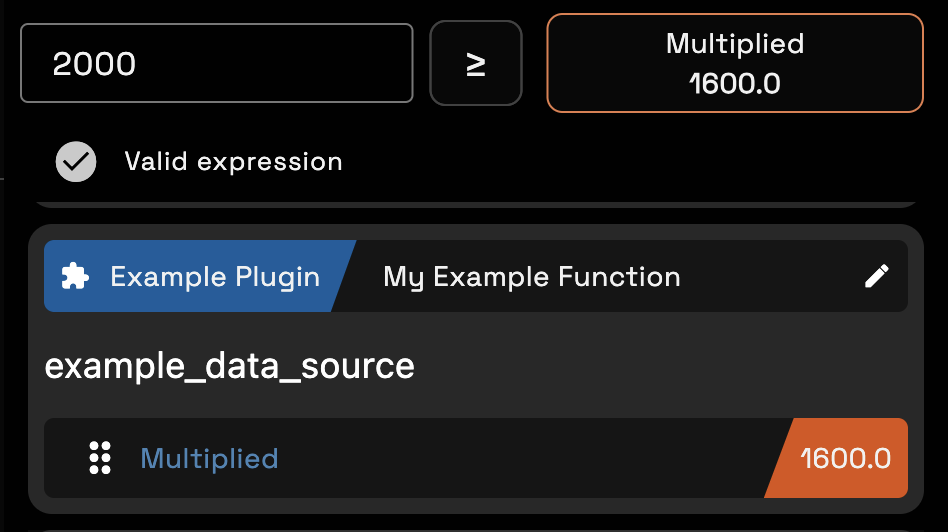
The schema provided in the plugin manifest is used by the app to display variables that are returned by our data source functions. The data from our example plugin would look like this: